Where to find? Log into your account -> Select a Statuspage -> Services
Once you have deleted a service or a group you cannot restore it! Use with caution!
1

Go to the "Services" page of your Statuspage in the dashboard

Once you’re on the “Services” page click on the red trashcan icon to delete a service or a group as shown in the screenshot below.
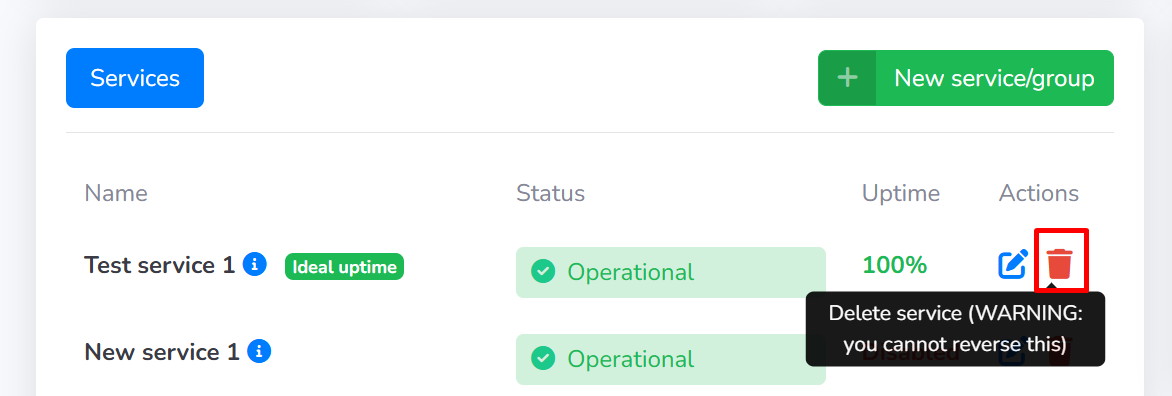
This is the red trashcan icon you need to click to delete a service or group.
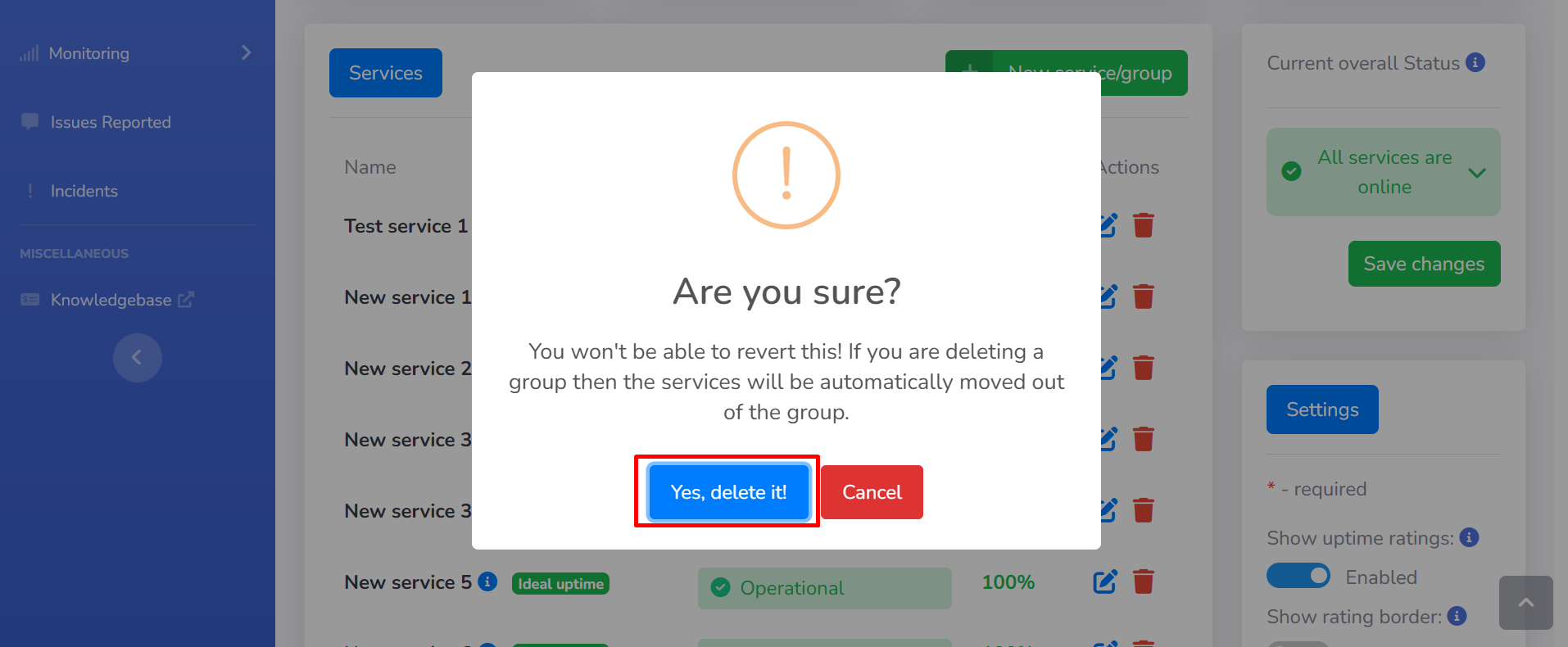
After clicking on the red trashcan icon you will be presented with the following pop-up, click on the “Yes, delete it” button to delete the service or group.
Remember that you cannot restore a service or a group after you have deleted it!
This is the button you need to click in order to delete a service or group.