> ## Documentation Index
> Fetch the complete documentation index at: https://docs.statusmc.net/llms.txt
> Use this file to discover all available pages before exploring further.
# Deleting a service/group
**Where to find?** [Log into your account](https://account.statusmc.net/) -> Select a Statuspage -> Services
Once you have deleted a service or a group you cannot restore it! Use with caution!
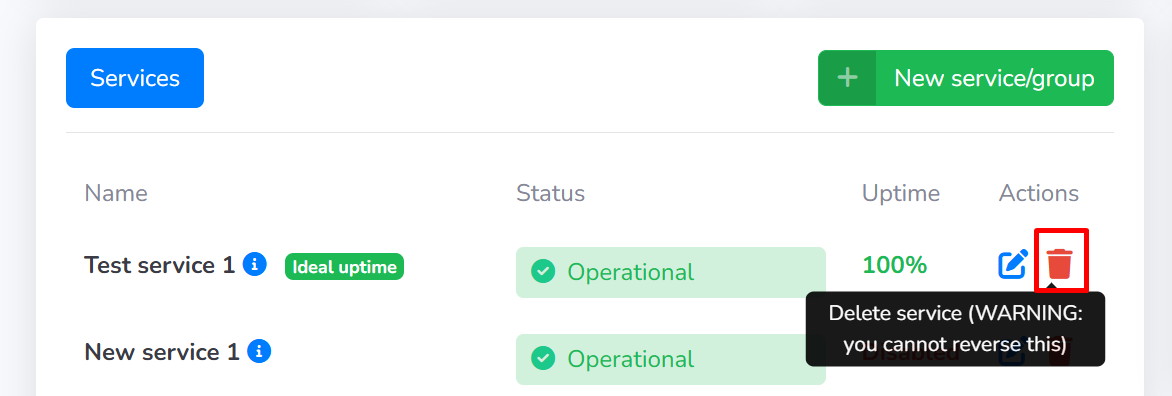
Once you're on the "**Services**" page click on the red trashcan icon to delete a service or a group as shown in the screenshot below.
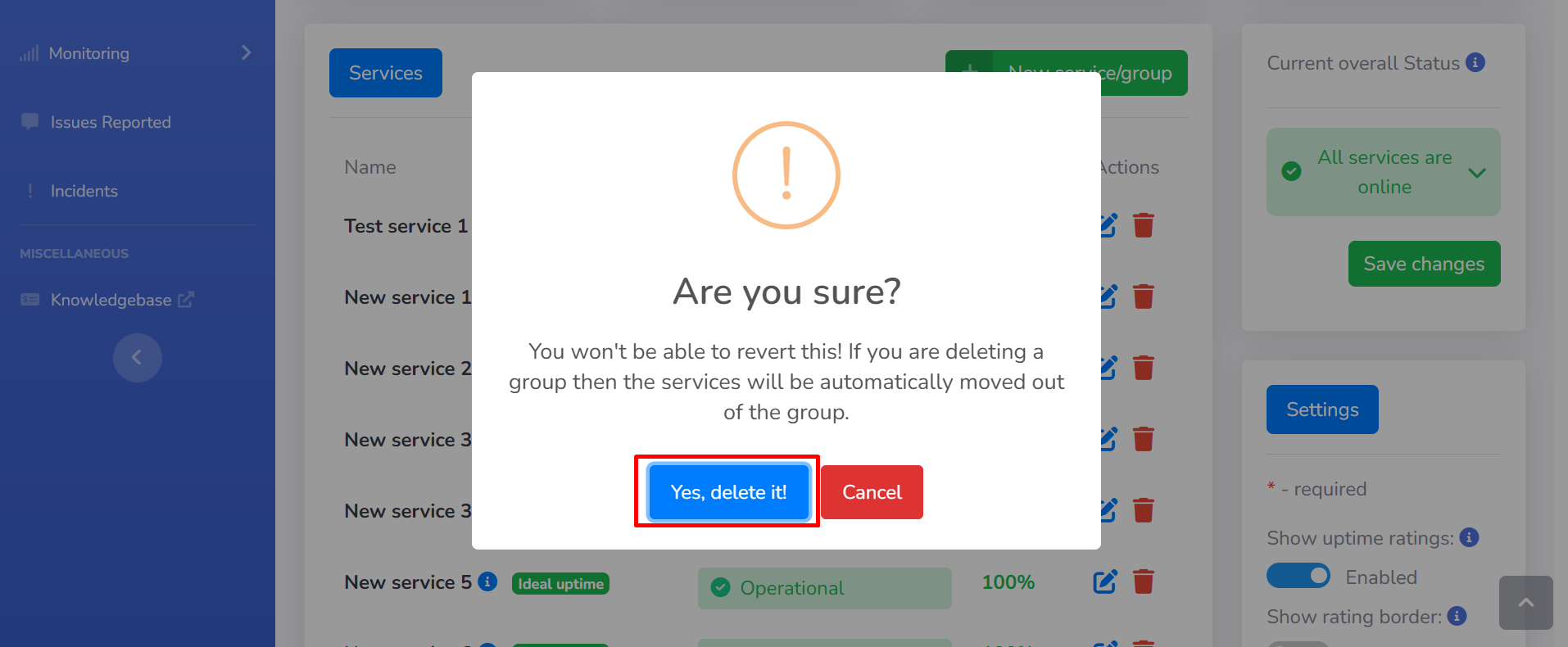
 After clicking on the red trashcan icon you will be presented with the following pop-up, click on the "**Yes, delete it**" button to delete the service or group.
Remember that you cannot restore a service or a group after you have deleted it!
After clicking on the red trashcan icon you will be presented with the following pop-up, click on the "**Yes, delete it**" button to delete the service or group.
Remember that you cannot restore a service or a group after you have deleted it!